

Understanding Versioning
Defining Versioning in Product Management
Versioning refers to systematically naming different iterations of a product.
This method helps customers and businesses track changes and improvements over time.
Furthermore, versioning provides clarity about product features and capabilities.
For example, software products often use version numbers like 2.0 or 3.5.
This practice simplifies communication between developers, marketers, and users.
The Role of Versioning in Product Upgrades
Versioning creates an easy way to distinguish between old and new offerings.
It builds customer confidence by clearly showing what is new or improved.
In addition, it allows businesses to manage product lifecycles effectively.
Companies like Synergy Dynamics use versioning to simplify upgrade sales.
As a result, versioning reduces confusion and customer hesitation during updates.
How Versioning Facilitates Smooth Upgrade Experiences
Versioning sets clear expectations by outlining what each upgrade includes.
This clarity helps prevent misunderstandings about product capabilities.
Moreover, it provides a roadmap for future enhancements and pricing strategies.
By implementing versioning, companies such as NovaTech Solutions have decreased upgrade disputes.
Ultimately, it creates a structured environment that benefits both sellers and buyers.
Identifying Customer Needs and Preferences for Effective Versioning
Gathering Customer Insights
Start by collecting detailed feedback from your customers.
Use surveys, interviews, and customer support interactions to gather insights.
Analyze past purchase behavior to identify preferences as well.
Tools like feedback forms help capture specific upgrade interests.
Additionally, engage with customers on social media to track trends.
Segmenting Customers Based on Preferences
Group customers by their unique needs and product usage.
Segmenting allows targeted version offerings that resonate with each group.
For example, tech enthusiasts may prefer advanced features.
Meanwhile, casual users seek simplicity and ease of use.
This approach enhances the perceived value of upgrades.
Prioritizing Features That Matter Most
Identify which product features customers value the most.
Prioritize these features when designing different product versions.
Weigh feature importance by combining customer feedback and market data.
Focus on benefits that solve common pain points immediately.
This focus ensures customers feel the upgrade is worthwhile.
Communicating Value Clearly to Customers
Explain how each version meets specific customer needs effectively.
Use clear language that highlights key improvements and benefits.
Showcase real examples or testimonials to build trust.
Also, highlight how upgrades save time or reduce effort practically.
Clear communication reduces confusion and potential resistance to upgrades.
Monitoring and Adjusting Versioning Strategies
Regularly review customer responses after introducing new versions.
Track sales patterns and customer satisfaction for continuous improvement.
Adjust features and pricing based on evolving preferences and feedback.
Stay agile by incorporating emerging customer needs promptly.
This proactive approach prevents upgrade-related frustrations for all parties.
Designing Clear and Distinct Product Versions to Avoid Confusion
Define Unique Features for Each Version
Begin by identifying the core features for each product version.
Make sure every version offers a clear benefit that sets it apart.
For example, Cascade Solutions differentiates its software editions by feature tiers.
Clearly communicate which problems each version solves for customers.
This clarity helps reduce confusion and enables customers to choose the right upgrade.
Use Descriptive and Consistent Naming Conventions
Adopt simple names that reflect each product’s capabilities clearly.
Names such as “Basic,” “Professional,” and “Enterprise” communicate distinct value levels.
BrightField Tech uses consistent naming to guide buyers effortlessly.
Avoid ambiguous or overly technical terms that could mislead users.
Consistent naming builds trust and simplifies the upgrade decision process.
Visualize Differences Through Comparison Charts
Provide side-by-side feature comparisons for each product version.
Graphic charts from Sunlight Software illustrate what buyers receive per upgrade.
Use icons, checkmarks, and highlights to ensure easy scanning of features.
These comparison charts help customers spot key differences quickly.
They also reduce post-purchase dissatisfaction and lower support requests.
Set Clear Pricing and Upgrade Paths
Display transparent pricing aligned clearly with the features in each version.
Maple Leaf Innovations finds that clear pricing minimizes sticker shock during upgrades.
Offer straightforward upgrade paths without hidden fees or confusing tiers.
Encourage customers to upgrade by showing incremental value for their investment.
A well-defined pricing strategy improves customer satisfaction and loyalty.
Gather Customer Feedback to Refine Versions
Collect feedback on how buyers perceive differences between versions.
Summit Edge Corporation uses surveys to identify common points of confusion.
Leverage this input to fine-tune product features and communications.
Continuously improve your versions to better meet customer expectations.
This proactive approach minimizes upgrade issues and builds long-term trust.
Find Out More: How to Build Scripts That Work Everywhere With Less Support
Communicating the Value Proposition of Each Version Transparently
Clearly Defining Features and Benefits
Start by listing the key features of each version explicitly.
Explain how these features solve specific customer problems.
Moreover, highlight the direct benefits users gain from each upgrade.
This approach helps customers recognize the real value in every version.
Using Simple and Honest Language
Avoid technical jargon that might confuse potential buyers.
Instead, use clear, straightforward language to describe improvements.
Transparent communication builds trust and reduces misunderstandings.
Consequently, customers feel confident about their purchasing decisions.
Providing Visual Comparisons
Incorporate comparison tables or charts to showcase differences between versions.
This format allows customers to quickly grasp key upgrades.
Visual aids increase clarity and make evaluation easier.
Therefore, customers appreciate the straightforward presentation of options.
Sharing Real-World Use Cases
Include examples showing how each version fits distinct user needs.
Stories from people like Lucas, a sales manager, help illustrate benefits.
These narratives reveal practical advantages of upgrading.
As a result, customers better understand when a higher version suits them.
Setting Clear Expectations on Limitations
Be upfront about what earlier versions do not include or support.
This honesty prevents disappointment and builds long-term customer loyalty.
Moreover, explain why certain features require a higher-tier upgrade.
Transparency in limitations encourages informed upgrade decisions.
Highlighting Upgrade Path and Value
Explain how upgrades add incremental value versus the base version.
Show financial and productivity gains customers can expect after upgrading.
Additionally, detail any special offers or loyalty benefits for returning users.
This reassures customers that their investment is worth the change.
You Might Also Like: Stop Building Random Scripts: Validate Demand in Minutes
Implementing Upgrade Paths that Are Smooth and Customer-Friendly
Design Clear and Transparent Upgrade Options
Start by defining straightforward upgrade options for your products or services.
Customers appreciate clarity when choosing how to enhance their purchase.
Therefore, present upgrade tiers with detailed benefits and pricing.
Also, use simple language that avoids technical jargon.
This way, clients understand exactly what they gain from each upgrade.
Communicate Benefits Effectively
Highlight the specific value customers receive by upgrading.
For example, stress improved features, enhanced support, or exclusive content.
Use testimonials or case studies to build trust.
Moreover, emphasize how the upgrade solves common problems.
This approach encourages customers to consider the upgrade positively.
Integrate Seamless Technical Processes
Ensure the upgrade system runs smoothly behind the scenes.
Minimize downtime or disruptions during transitions.
Vernon Electronics perfected their upgrade process by enabling instant version switches.
Such efficiency improves customer satisfaction significantly.
Also, automate notifications to keep users informed throughout the process.
Offer Flexible Pricing and Upgrade Paths
Provide multiple pricing plans to suit diverse budgets.
For instance, allow monthly or annual subscriptions with prorated upgrades.
NovaSoft includes upgrade credits for loyal customers.
Additionally, permit downgrades or pauses to give customers control.
This flexibility reduces buyer hesitation and increases overall conversions.
Educate Customers About Versioning Benefits
Host webinars or create video tutorials that explain upgrade value.
Luna Digital Solutions regularly updates clients with helpful guides.
Doing so demystifies versioning and reassures customers about changes.
Furthermore, provide FAQs addressing common upgrade concerns.
This proactive education builds confidence and reduces support requests.
Provide Excellent Customer Support During Upgrades
Train your team to assist customers promptly throughout the upgrade process.
Harper Technologies assigns dedicated upgrade specialists for smooth transitions.
Offer multiple support channels, including chat, email, and phone.
Quick, empathetic responses prevent frustration and build loyalty.
Moreover, follow up with customers after upgrades to gather feedback.
Use Data to Improve Upgrade Paths Continuously
Collect user behavior and satisfaction data related to upgrades.
Analyze this information to spot friction points or drop-offs.
Based on findings, refine pricing, communication, and technical procedures.
For example, Meridian Apps enhanced their upgrade conversion by simplifying forms.
Continuous improvement ensures upgrade paths stay user-friendly and effective.
Discover More: How to Use Demos to Beat Cheaper Competitors Every Time
Leveraging Pricing Strategies Aligned with Version Benefits
Understanding the Value Behind Each Version
Start by clearly defining the unique benefits each version offers.
Customers must see distinct improvements to justify upgrade costs.
Moreover, highlighting specific features helps emphasize this value difference.
For example, TechVista’s software versions progressively enhanced automation and reporting.
This clear progression encouraged upgrades without customer hesitation.
Aligning Prices with Perceived Benefits
Set pricing that reflects the additional value customers receive.
Gradual price increases work better than abrupt jumps in most cases.
Additionally, consider customer feedback to adjust pricing fairly.
Creative Solutions Inc. successfully used tiered pricing aligned with feature sets.
This approach created a transparent system that customers appreciated.
Communicating Upgrade Benefits Effectively
Use clear messaging that explains why an upgrade is worthwhile.
Demonstrate how each version solves specific customer problems better.
Furthermore, testimonials help build trust in the upgrade’s value.
BrokerTech’s marketing team used video demos showing benefits in real situations.
They also shared client stories to reduce upgrade hesitation.
Offering Strategic Incentives to Encourage Upgrades
Provide time-limited discounts to create urgency around upgrades.
Bundle new features with exclusive perks where possible.
Early adopter bonuses often motivate customers to act faster.
Innovatech’s upgrade campaigns included extended support warranties as incentives.
These offers balanced value perception and increased conversion rates smoothly.
Implementing Transparent Pricing and Upgrade Paths
Outline upgrade options clearly on your website and sales materials.
Transparency reduces confusion and builds customer confidence.
Customers appreciate knowing what to expect at every upgrade step.
SmartCloud Services provides a simple comparison chart for all versions.
This clarity significantly lowered customer service inquiries about pricing.
Monitoring and Adjusting Pricing Strategies Regularly
Track upgrade sales and customer feedback continuously.
Adjust pricing tactics based on market trends and competitor moves.
Periodic analysis helps keep your pricing competitive and fair.
BlueWave Systems performed quarterly reviews to refine their approach effectively.
This practice enhanced their upgrade rates year after year.
Explore Further: How to Use Changelogs to Increase Trust and Repeat Sales
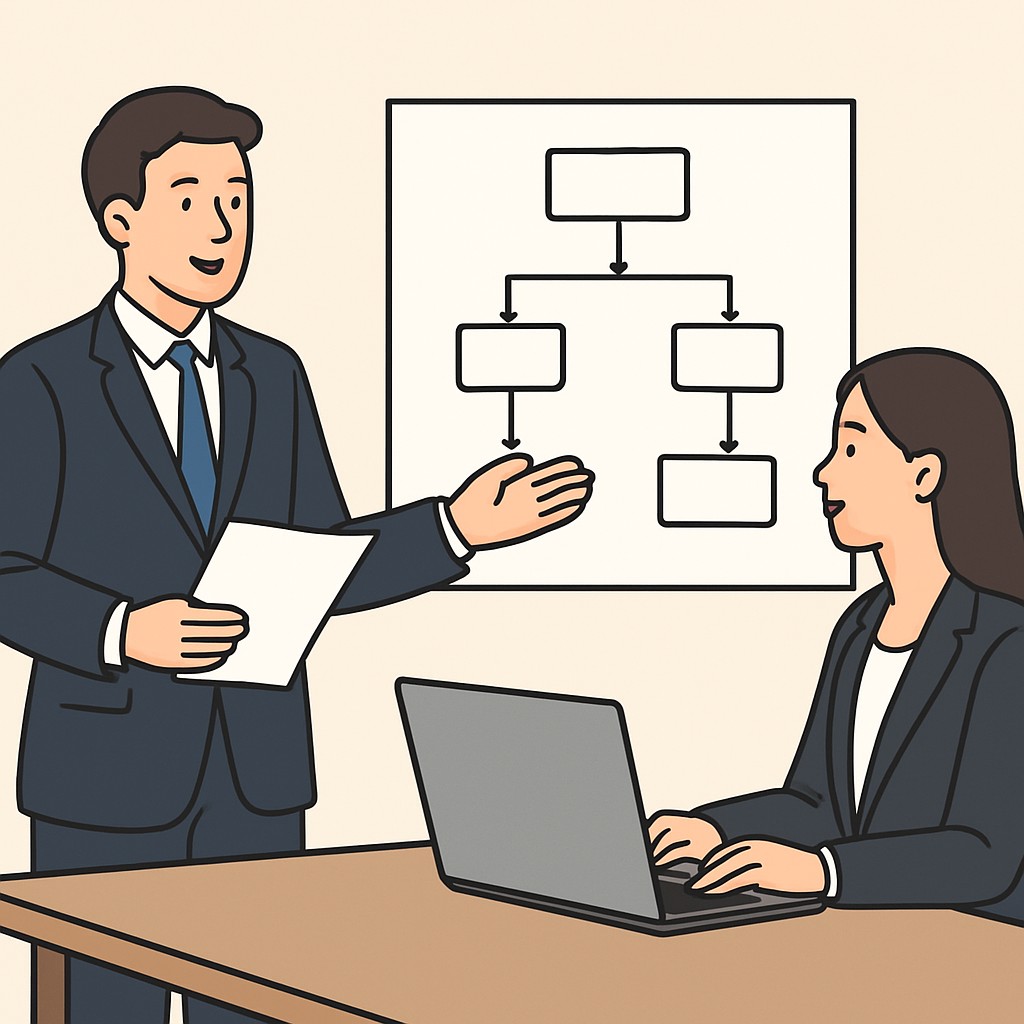
Handling Customer Feedback and Objections During Upgrade Offers
Listening Actively to Understand Concerns
Active listening helps you understand customer concerns fully.
When Emily from Crestpoint Solutions raised issues, the team paused to listen entirely.
Listening shows respect and builds trust with clients.
Moreover, acknowledging their feedback encourages open communication.
Empathizing to Build Rapport
Express empathy to connect emotionally with the customer.
For instance, Michael at Solara Tech felt appreciated when concerns were validated.
Empathy reduces resistance and softens objections naturally.
It also demonstrates you value their perspective genuinely.
Clarifying Misunderstandings with Clear Information
Sometimes objections stem from confusion or incomplete information.
Grace from Meridian Marketing misunderstood an upgrade feature until the team clarified details.
Clarification removes doubts and aligns expectations more accurately.
Use simple language to explain benefits and costs clearly.
Addressing Common Objections with Prepared Responses
Prepare thoughtful responses for frequent objections ahead of time.
Common objections include price concerns, timing, or perceived value.
Provide evidence and examples to support why the upgrade is beneficial.
For example, highlight how upgrades saved resources at Lumina Media.
Inviting Dialogue to Encourage Questions
Encourage customers to ask questions openly during upgrade discussions.
Open dialogue fosters transparency and reduces misunderstandings.
Patrick at Blue Horizon Services appreciated when his questions guided the conversation.
Ensure to respond patiently and informatively to all queries.
Using Positive Language to Reframe Objections
Reframe objections into opportunities to emphasize value.
Instead of saying “This costs more,” say “This adds valuable features for your needs.”
Positive language shifts the conversation to solutions and benefits.
It helps Tom from Arcadia Solutions see upgrades as smart investments.
Summarizing and Confirming Understanding Before Moving Forward
Summarize key points to confirm mutual understanding before concluding.
Ask clients like Sophia at Evergreen Logistics if they feel their concerns were addressed.
This step ensures everyone is aligned and comfortable moving forward.
A clear summary prevents confusion and future objections.
Following Up to Maintain a Positive Relationship
After the offer, follow up to address any lingering concerns.
Jennifer at Nexus Retail valued the post-discussion check-in from her sales contact.
Follow-up builds trust and opens doors for future opportunities.
It keeps the upgrade conversation positive and drama-free.
Using Versioning to Build Long-Term Customer Loyalty and Reduce Churn
Creating Clear Value with Versioned Offerings
Versioning allows businesses to offer distinct product tiers that match customer needs.
Customers understand what they get at each level, which builds trust over time.
Transparent versions also help avoid confusion and disappointment during upgrades.
For example, BrightWave Technologies uses versioning to clearly differentiate core and premium features.
This clarity encourages customers like marketing director Laura Kim to upgrade confidently.
Encouraging Ongoing Engagement Through Continuous Improvement
Constantly improving products within versions keeps customers excited about future upgrades.
Additionally, releasing regular feature updates enhances satisfaction and perceived value.
At StellarSoft, product manager Marcus Chen schedules quarterly updates for each version.
This consistent innovation makes customers feel their investment is worthwhile.
As a result, churn rates decrease because users remain engaged and loyal.
Providing Flexible Upgrade Paths to Suit Different Customer Journeys
Offering multiple upgrade options respects various customer budgets and timing.
FriendlyMart, an e-commerce platform, implements both monthly and annual version upgrades.
This flexibility lets users like small-business owner Nina Velasquez choose a plan that fits.
Therefore, customers feel empowered, reducing conflict or hesitation about upgrading.
Flexible paths also allow incremental upgrades, which encourage progressive spending.
Strengthening Customer Relationships Through Transparency and Communication
Clear communication about version benefits and pricing builds long-term rapport.
For instance, RoadRunner Apps emails detailed release notes before major version launches.
Customers appreciate this openness, which reduces misunderstandings and frustration.
Additionally, involving customers in feedback loops increases their sense of ownership.
This trust nurtures loyalty and a positive relationship with the company.
Leveraging Data to Personalize Upgrade Offers
Using customer usage data helps tailor upgrade suggestions to specific needs.
Tech solutions company NovaDynamics analyzes user behavior to recommend relevant version upgrades.
This approach shows customers the value directly linked to their usage patterns.
Consequently, customers like finance consultant Eric Mendoza feel upgrades are worthwhile.
Personalized offers increase upgrade uptake and lower the chance of churn.
Benefits of Versioning for Customer Retention and Growth
- Versioning creates clear product differentiation, reducing confusion during purchase decisions.
- It fosters trust by setting transparent expectations for upgrades and features.
- Continuous improvements keep customers engaged and excited about the future.
- Flexible upgrade options suit varying budgets and reduce upgrade resistance.
- Open communication enhances customer relationships and loyalty over time.
- Personalized upgrade offers boost relevance and conversion rates.
Ultimately, versioning transforms upgrades from a source of tension into growth opportunities.
Technical Considerations for Managing Versions Without Operational Issues
Implementing a Clear Versioning Strategy
Define a consistent versioning system that your team understands well.
Semantic versioning is a popular choice for software upgrades.
It uses major, minor, and patch numbers to communicate changes clearly.
This clarity helps avoid confusion between development and operations teams.
Additionally, document the versioning policy in your technical guidelines.
Automating Version Control Processes
Use version control systems like Git to manage code repositories effectively.
Automation reduces human error during merges and deployments.
Set up continuous integration pipelines to test versions automatically.
Moreover, automated deployment ensures smooth and repeatable releases.
Teams benefit from faster feedback loops and reduced operational risks.
Maintaining Backward Compatibility
Design upgrades to support previous versions when feasible.
This approach minimizes disruptions for existing users and clients.
Use feature toggles to enable or disable new functionality gracefully.
It also helps isolate issues without rolling back entire versions.
Planning backward compatibility encourages trust and reduces upgrade resistance.
Robust Testing and Staging Environments
Create staging environments identical to production for realistic testing.
Test each version thoroughly before production deployment.
Include automated unit, integration, and performance tests in your pipeline.
This practice ensures operational stability and reduces post-release errors.
Furthermore, engage cross-functional teams to validate version impact comprehensively.
Monitoring and Incident Management
Implement monitoring tools that track version-specific performance and errors.
Real-time alerts help teams respond quickly to issues after upgrades.
Document incident response plans tailored to version rollouts.
This preparation minimizes downtime and operational impact.
Continuous monitoring also provides valuable feedback for future improvements.
Effective Communication Across Teams
Maintain clear channels between development, operations, and sales teams.
Share version schedules, release notes, and known issues proactively.
Use collaboration tools to keep everyone updated in real time.
This transparency prevents misunderstandings and operational conflicts.
Lastly, training sessions help all teams understand versioning impacts better.
Case Studies on Successful Versioning to Sell Upgrades Without Drama
TechWave’s Seamless Software Tier Upgrade
TechWave implemented versioning to offer clear product tiers for customers.
They separated features into Basic, Pro, and Premium versions.
Customers understood what each upgrade included immediately.
TechWave communicated changes transparently before each product update.
This transparency reduced confusion and frustration among users.
Upgrade sales increased by 30% in six months.
Customer service complaints dropped remarkably during this time.
This case highlights the benefit of clarity and honesty in versioning.
BrightHome’s Hardware Firmware Version Strategy
BrightHome offers smart home devices with regular firmware upgrades.
They use versioning to distinguish mandatory security patches from optional features.
This strategy helped customers prioritize when and why to upgrade firmware.
BrightHome provided detailed release notes with each version to explain value.
This approach built trust and minimized pushback on upgrades.
Sales of upgraded hardware bundles rose alongside customer satisfaction scores.
Technical support calls related to upgrade confusion declined sharply.
BrightHome’s story shows that careful versioning fosters smoother upgrade acceptance.
ZenFit’s Versioned Subscription Plans for Fitness App
ZenFit launched tiered subscription plans using version differences strategically.
They offered casual users a free version with basic workouts.
Premium subscribers received exclusive content and personalized coaching.
ZenFit explained version benefits clearly through onboarding tutorials and emails.
This method let customers self-select appropriate plans without pressure.
Customer retention improved from greater perceived upgrade value.
Upsell rates increased steadily as communication stayed focused and non-aggressive.
ZenFit’s case demonstrates that transparent versioning supports positive experiences.
Key Practices for Effective Versioning and Upgrade Sales
- Clearly define version differences to set customer expectations.
- Communicate upgrade benefits and changes proactively and simply.
- Provide transparent, detailed information to build trust.
- Use versioning to reduce friction rather than pressure sales.
- Monitor customer feedback to refine versioning strategies continually.
Companies that follow these guidelines avoid drama when selling upgrades.
Additional Resources
Why most of the industry is still on Java 8? – Reddit
A Serious Tennis Fan’s Top 10 Tips for the 2025 US Open (Tickets …